LICENSE MANAGER
Track Your Continuing Medical Education Credits
JEMS Training automatically reports your completed EMS courses to our accrediting entity.
Track all your licenses and certifications in one place with our License Manager. Once your license details are in the system, it will automatically report all EMS courses that are approved by the Commission on Accreditation for Prehospital Continuing Education (CAPCE), which is recognized in 48 states.
These records are sent daily to CAPCE, and then forwarded to National Registry if you hold that license. Don’t forget to add your state EMS license and National Registry licenses as applicable.
See how to do this below!

How to Access the License Manager

Log in to your account at https://lms.jemstraining.com/.

Click USER MENU in the upper left corner.

Click on LICENSE MANAGER.

how to add your license details
From your license menu, click ADD LICENSE.
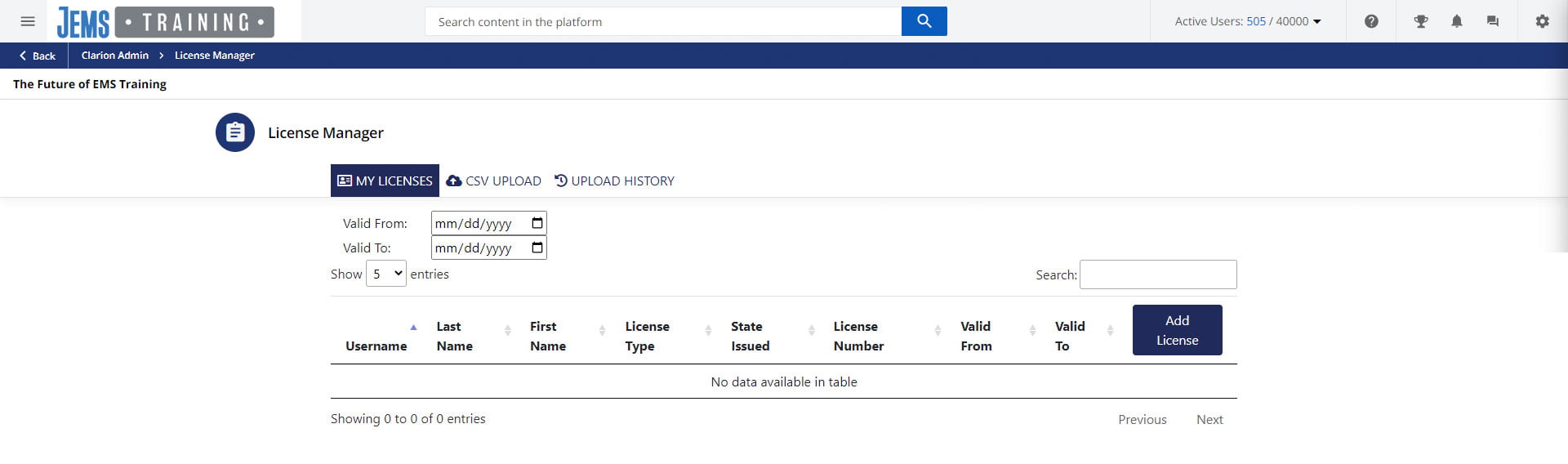
Enter your license information (including license type and valid dates) and click CREATE.

You’re all set! Now, go back to the Course Catalog and continue training.